Learning how to buy shares on Facebook for beginners starts with one important distinction: this guide is about purchasing shares for a Facebook post, not buying Meta company stock. The process usually involves choosing a Facebook engagement service, submitting a public post URL, selecting a quantity, and tracking the order.
You should never share your Facebook password with a provider. Purchased shares may increase the visible share count or distribute the post through participating accounts, but they cannot guarantee organic reach, sales, or genuine audience interest.
What Does Buying Facebook Post Shares Mean?
Buying Facebook post shares means paying a third-party provider to arrange a selected number of shares for an eligible Facebook post. Depending on the service, the post may be shared by different accounts, pages, or profiles.
Most providers manage these orders through an SMM panel. If the term is new to you, this explanation of what an SMM panel is covers the basic purpose of the dashboard and its available services.
The typical order flow looks like this:
Stage | What You Do | What Happens Next |
Select a service | Choose Facebook post shares | The panel displays the rate and requirements |
Submit the link | Paste the public post URL | The system checks or processes the target |
Choose a quantity | Enter the required number of shares | The total cost is calculated |
Confirm the order | Review the details and pay | The order enters the processing queue |
Track delivery | Check the order status | Shares may appear gradually or in batches |
The exact delivery method, speed, and account quality vary between services. Understanding these differences is the first step before placing an order.
How Does Buying Facebook Shares Work?
An SMM panel brings several social media services into one dashboard. When you place an order, the system records your post link, selected service, quantity, and payment before routing the request for processing.
A complete breakdown of how SMM panels work can help beginners understand order routing, status updates, partial delivery, and possible refunds. This background is useful because a simple order page may hide several stages behind the dashboard.
The standard process is:
- Create an account with the selected provider.
- Add funds or choose an available payment method.
- Open the Facebook services category.
- Select a Facebook post shares service.
- Paste the correct public post link.
- Enter the desired quantity.
- Review the cost and service conditions.
- Submit and track the order.
Some services start quickly, while others need more time. Always read the service description because “start time” and “completion time” are not the same thing.
How to Buy Facebook Post Shares in 8 Simple Steps
The ordering process is simple, but small mistakes can send engagement to the wrong post or cause an order to fail. Complete each step carefully instead of rushing toward the lowest price.
Step 1: Choose the Right Facebook Post
Start with a post that already has a clear message, useful content, and a reason for people to interact. Product announcements, event updates, educational videos, special offers, and community posts are usually more suitable than incomplete or outdated content.
Do not expect purchased engagement to rescue a weak post. A clear caption, strong visual, and relevant call to action give visitors something meaningful to respond to after they discover it.
Step 2: Make the Post Public
Check the audience setting before copying the link. Facebook lets users choose who can see a post through its audience selector, and a public setting makes the content available to a wider audience.
Most share services need access to the original post. If it is limited to friends, a private group, or a restricted audience, the provider may be unable to process the order.
Open the post and look for the audience icon near the publishing date. Change the setting only if the content is suitable for public viewing, then confirm that the post opens correctly in a private browser window.
Step 3: Copy the Exact Post URL
Open the individual Facebook post instead of copying your page or profile address. Click the post date or the available menu option to open its dedicated page, then copy the full URL from the browser.
The link should point directly to the target photo, video, Reel, or text post. Submitting a page homepage when the service requires a post URL is one of the most common beginner mistakes.
Step 4: Choose a Suitable Facebook Share Service
Open a trusted Facebook SMM Panel and check the Facebook category for post-sharing options. Read the full description before selecting a package because services may differ by delivery speed, available quantity, account type, refill conditions, and supported post format.
Do not select a service only because it is the cheapest. Clear requirements and realistic delivery information matter more than a small difference in price.
Step 5: Start With a Small Quantity
A small test order lets you examine delivery before committing a larger budget. It can reveal whether the link works, how quickly the order starts, whether the shares remain visible, and how the provider handles status updates.
Choose a quantity that looks proportionate to the page’s existing activity. A new page with very few followers may look unnatural if one ordinary post suddenly receives thousands of shares without related views, reactions, or comments.
Step 6: Review the Price and Service Terms
The dashboard should calculate the charge before you confirm the order. Check the quantity, rate, minimum order, maximum order, average start time, refill terms, and cancellation rules.
If this is your first panel order, a practical guide on how to use an SMM panel can help you understand balances, service IDs, order history, and status labels. Once every field is correct, you can proceed to payment.
Step 7: Submit the Order Without Sharing Your Password
A standard Facebook share order should require the public post link and quantity—not your Facebook password. Meta advises users not to provide their Facebook or Instagram passwords outside the official apps, official websites, or an authorized “Login with Facebook” process.
Avoid any provider that asks for login credentials, recovery codes, security codes, or access to your personal email. Keeping control of your account is more important than completing an engagement order.
Step 8: Track the Order and Record the Results
After submitting the order, save the order ID and monitor its status from the dashboard. Common labels include Pending, Processing, In Progress, Completed, Partial, Canceled, and Refunded.
Record the share count before and after delivery. You should also check reach, impressions, link clicks, video watch time, reactions, comments, and conversions through Facebook’s available insights.
This comparison shows whether the campaign produced useful attention or only changed the visible share number. Those findings will guide your next order or organic content decision.
Where to Buy Facebook Post Shares Safely
No third-party engagement service can be described as completely risk-free. Meta has taken action against services and networks associated with fake or artificially inflated engagement, so buyers should understand that purchased activity may conflict with platform rules or be removed.
A safer selection process focuses on transparency, account security, order control, and honest expectations. This guide on whether SMM panels are safe to use explains the main account, payment, quality, and policy risks in more detail.
Before ordering, check the following:
- The website uses HTTPS and has clear contact information.
- The service description explains what the buyer will receive.
- The final price is visible before the order is confirmed.
- The provider does not request a Facebook password.
- The dashboard offers order tracking.
- Refund, refill, and cancellation terms are easy to find.
- Support is available when an order becomes stuck or partial.
- The provider avoids guaranteed sales or guaranteed viral reach.
- Independent reviews do not show a repeated pattern of unresolved complaints.
A checklist for choosing a reliable SMM panel can make provider comparison easier. Test the selected service with a modest order before increasing the quantity.
How Much Do Facebook Post Shares Cost?
The cost depends on the provider, quantity, delivery method, account source, geographic targeting, and any refill or retention conditions.
Prices can also change when an upstream provider adjusts its rate, so a fixed figure in a blog post may become outdated. Compare the total charge shown in the live dashboard.
A very low rate may come with slower delivery, weaker retention, limited support, or a higher chance of partial completion.
Use this comparison when evaluating the price:
Pricing Factor | Why It Matters |
Minimum quantity | Determines the smallest test order available |
Rate per 1,000 | Makes packages easier to compare |
Delivery speed | Faster processing may cost more |
Targeting | Country-specific services may have different rates |
Refill period | Shows whether eligible drops may be replaced |
Cancellation rules | Explains what happens if the order cannot start |
Support quality | Matters when an order is delayed or incomplete |
The best value is not always the lowest displayed rate. A clear service description, usable dashboard, and responsive support can save more time and money than a cheap order that fails.
Do Purchased Facebook Shares Increase Post Reach?
Purchased shares may place a post in additional locations or increase its visible engagement count, depending on how the service works.
This can create more opportunities for discovery, but it does not guarantee that Facebook will distribute the post widely.
Facebook uses many signals and predictions to rank Feed content, including a person’s past interactions and the likelihood that the content will matter to them. A single engagement number does not control the entire ranking system.
Actual results depend on factors such as:
- The quality and originality of the post
- Audience relevance
- Watch time for video content
- Meaningful reactions and comments
- Link clicks and conversions
- The activity and relevance of sharing accounts
- Negative feedback or content reports
- The page’s existing audience relationship
Treat purchased shares as a limited promotional input, not a replacement for good content or community building. Combine the test with organic distribution and measure business outcomes instead of watching the share counter alone.
Common Mistakes Beginners Should Avoid
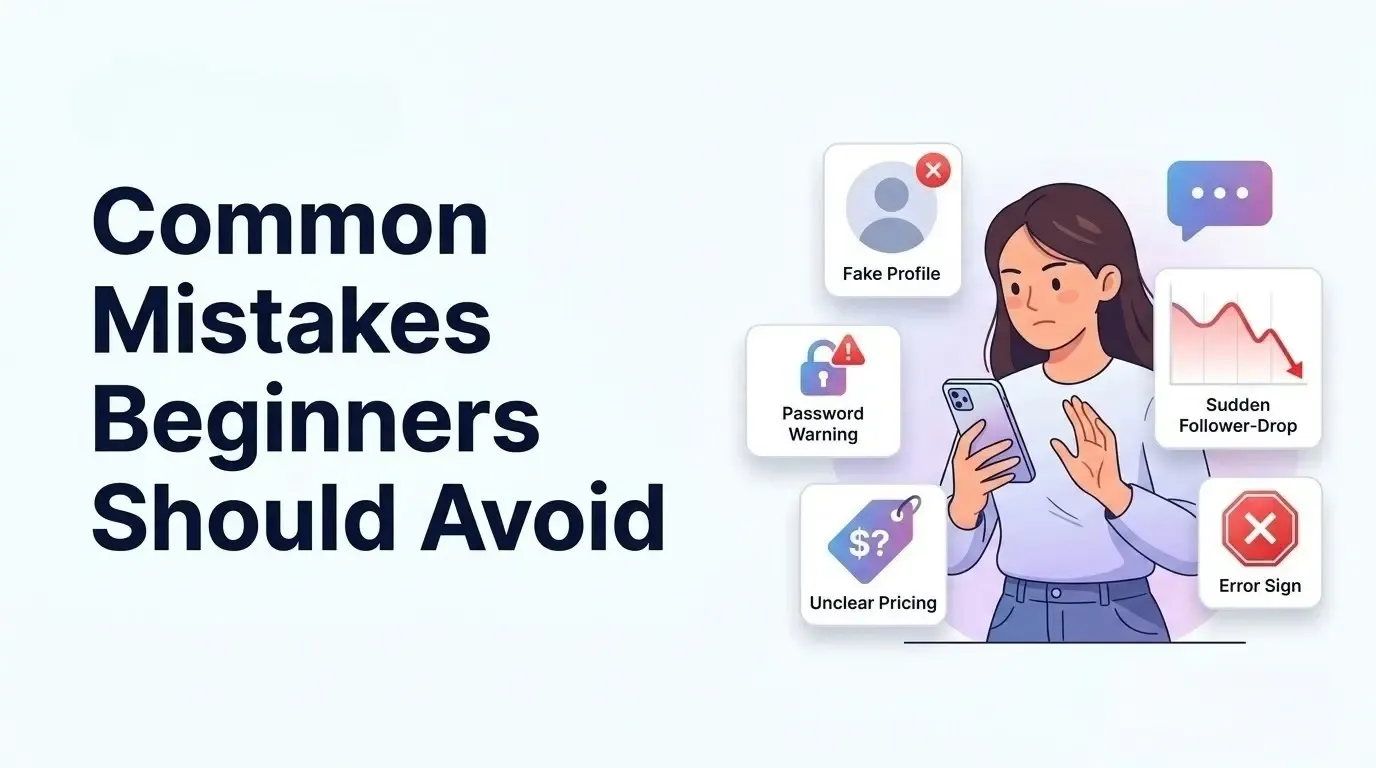
Beginners often focus on quantity before checking whether the post and service are suitable. A careful first order can prevent wasted funds and reduce avoidable account or delivery problems.
Ordering Before Making the Post Public
A private or restricted post may be inaccessible to the service. Confirm the audience setting and test the link before placing the order.
Submitting the Wrong Facebook Link
A page URL, profile address, or shortened tracking link may not meet the service requirements. Always submit the direct URL of the exact post you want shared.
Buying an Unnatural Quantity
An unusually large order can make the engagement pattern look disconnected from the page’s normal activity. Begin with a proportionate quantity and scale only after reviewing the result.
Expecting Guaranteed Sales or Virality
Shares alone cannot guarantee customers, website traffic, or long-term reach. The post still needs a relevant offer, strong creative, and a clear next step for viewers.
Choosing Price Over Reliability
The cheapest option may have weak support, unclear sourcing, or poor retention. Compare the conditions and order history features before making a decision.
Sharing Account Credentials
A provider does not need your Facebook password to process a public post link. Leave immediately if a website asks for passwords, recovery codes, or personal login access.
How to Make Purchased Shares Part of a Balanced Strategy
A share order works best as a small test within a broader Facebook campaign. Create a useful post first, use a reasonable quantity, and continue responding to real audience activity after delivery begins.
You can support the campaign with relevant services such as Facebook followers, Facebook Page likes, or Facebook comments, but avoid adding every metric at once. Test one variable at a time so you can see what changed.
Organic actions remain essential:
- Publish original images, videos, and practical information.
- Write captions for a clearly defined audience.
- Ask questions that encourage genuine discussion.
- Reply to relevant comments promptly.
- Share posts in suitable communities without spamming.
- Review insights and repeat the formats that perform well.
- Use Meta’s advertising tools when precise paid targeting is needed.
Keep the visible numbers proportionate to one another. The article on whether buying Page likes can hurt a Facebook Page also explains why quality, balance, and genuine interaction matter more than a large number by itself.
Why Bangladeshi People Choose TrendEvo for Facebook Post Shares Services
Using an SMM panel for the first time can feel confusing. TrendEvo is built to make that journey easier for beginners in Bangladesh. Users can choose a service, pay locally, place an order, and follow its progress from one dashboard.
- Local Payment Options: Add funds through bKash, Nagad, or Rocket without needing an international payment card.
- Non-Drop Services: Selected packages offer improved retention or refill support. Check the service terms before ordering.
- Drip-Feed Delivery: Eligible services deliver engagement gradually instead of sending the entire quantity at once
- 24/7 Customer Support: Contact the support team whenever you need help with payments, services, or order status.
- No Password Required: Standard orders only need the public post link and quantity. Your Facebook password stays private.
- Exact Post Targeting: people can Submit the direct Facebook post URL, so shares reach the correct content instead of your page or profile.
- Flexible Share Quantities: Choose a quantity within the package limits. Beginners can start small before placing a larger order.
- Support for Public Post Formats: Find eligible share services for public photos, videos, Reels, or text posts by checking each package description.
- Facebook Post Share Order Tracking: Follow your order through Pending, Processing, Completed, Partial, Canceled, or Refunded status from the dashboard.
These Facebook-specific options give beginners clearer choices and better control. They also reduce common mistakes when ordering post shares through TrendEvo.
These features solve several common problems Bangladeshi beginners face. Familiar payments, clear tracking, and accessible support make TrendEvo one of the best practical options for starting carefully.
Final Thoughts
Learning how to buy shares on Facebook for beginners feels easier. You do not need to rush your first order. Choose a public post with a strong and useful message.
Copy the correct link and begin with a modest quantity. Your provider should never request your Facebook account password. Purchased shares can support visibility during a focused campaign.
Strong content gives new visitors meaningful reasons to stay. Measure success through reach and meaningful customer actions instead. TrendEvo helps beginners order with greater clarity and confidence.
Frequently Asked Questions
Is it safe to buy Facebook shares?
Buying Facebook shares is not completely risk - free. Artificial or misleading engagement can conflict with Meta’s rules, and low-quality shares may disappear or provide no useful audience response. Reduce risk by protecting your password, choosing a transparent provider, starting small, and avoiding unrealistic promises.
Does a Facebook post need to be public to buy shares?
Most share services require the post to be public so the provider can access and process its URL. A friends - only post, private group post, or restricted post may cause the order to fail. Check the audience setting before submitting the link.
Can I buy Facebook shares without a password?
Yes, a normal order for a public post should only require the direct post URL, chosen service, and quantity. Never provide your Facebook password, two-factor authentication code, recovery code, or email login information to an engagement provider.
How long does it take to receive Facebook post shares?
Start and completion times depend on the service, quantity, order queue, and provider. Some orders may begin quickly but take longer to complete. Check the estimated start time and delivery conditions instead of assuming the full quantity will arrive instantly.
How much do Facebook post shares cost?
The price varies by quantity, service type, delivery method, targeting, and refill conditions. Check the current dashboard rate and calculate the total cost before confirming. A small test order is usually the sensible starting point for a beginner.
Do purchased Facebook shares increase post reach?
They may increase the visible share count or place the post in additional locations, but greater organic reach is not guaranteed. Facebook considers many ranking signals, while the quality and relevance of the post still shape how real viewers respond.
Can I buy shares, likes, and comments for the same post?
These services may be available separately, but ordering all of them at once can make the engagement pattern difficult to evaluate. Start with the metric most closely connected to your campaign goal, measure the result, and add another service only when it has a clear purpose.


.webp&w=3840&q=75)