A single wrong link or service choice can leave your SMM panel order pending, cancelled, or delivered to the wrong place. The process looks simple, but small details—such as link format, service limits, account privacy, and order quantity—can affect the result.
This guide explains how to use an SMM panel from account setup to final delivery. You will learn how to select the right service, add funds, submit your first order, track its status, and avoid common beginner mistakes.
What Is an SMM Panel and What Can You Do With It?
An SMM panel is an online platform where users can order social media marketing services such as followers, likes, views, comments, shares, subscribers, and watch time. Services are usually organized by platform, making it easier to compare available options from a single dashboard.
Understanding what an SMM panel is helps beginners see its role more clearly. It is a supporting marketing tool, not a replacement for content creation, community management, advertising, or organic audience development.
Depending on the provider, a panel may offer services for:
- YouTube
- TikTok
- X (Twitter)
- Telegram
- Spotify
- SoundCloud
- Twitch
- Snapchat
Most panels use an account balance system. Users deposit money, choose a service, submit the required public link, and monitor the order from their dashboard. Before placing an order, however, the user needs a clear campaign goal.
Decide What You Want to Achieve Before Ordering
A common beginner mistake is choosing a service before identifying the actual marketing objective. Higher numbers alone do not necessarily produce meaningful business results, so each order should support a specific purpose.
Start by asking what you want the campaign to accomplish. You may want to improve the initial visibility of a new post, support a product launch, strengthen social proof, or increase exposure for a video. The answer determines which service and quantity may be suitable.
| Marketing objective | Possible service | Appropriate destination |
|---|---|---|
| Improve profile visibility | Followers | Profile or page |
| Support a post | Likes or comments | Individual post |
| Increase video exposure | Views | Video or Reel |
| Grow a YouTube channel | Subscribers | Channel |
| Promote a Telegram community | Members | Channel or group |
| Increase music reach | Plays or listeners | Track, album, or artist page |
The benefits of using an SMM panel become more relevant when the selected service supports a defined campaign instead of chasing numbers without a plan. Once your objective is clear, the next step is selecting a dependable provider.
How to Choose a Reliable SMM Panel
Price should not be the only factor when comparing panels. An extremely low rate may look attractive, but unclear descriptions, limited support, unstable delivery, or missing refund information can make the service difficult to use.
A reliable panel should provide understandable service details, transparent pricing, accessible customer support, secure payment methods, and visible order records. It should also explain minimum quantities, expected start times, refill conditions, and service limitations.
Check the following before depositing money:
- The website uses a secure HTTPS connection.
- Service descriptions explain what users receive.
- Prices and minimum quantities are clearly displayed.
- Payment options are suitable and recognizable.
- Terms, refund rules, and privacy information are accessible.
- Customer support can handle order-related problems.
- The dashboard provides order IDs and status updates.
- The panel does not request your social media password.
The process of choosing a reliable SMM panel deserves careful attention because the provider controls payment processing, order records, and support. After making that decision, you can create an account and explore the dashboard.
SMM Panel Tutorial for Beginners: The Complete Process
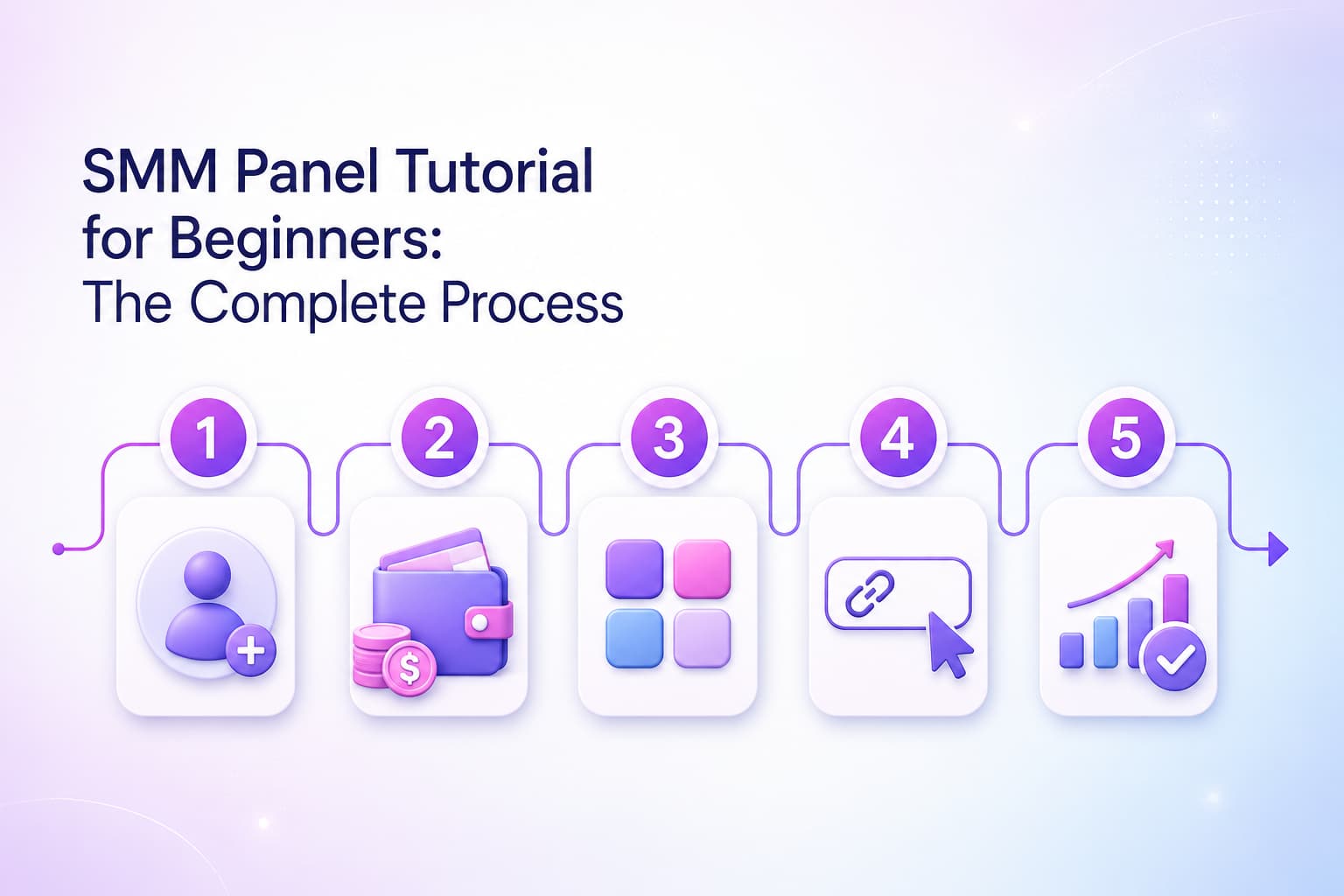
Most SMM panels follow a similar workflow, although menu names and dashboard layouts can vary. A typical first order includes registration, account funding, service selection, link submission, confirmation, and tracking.
Here is the complete process at a glance:
| Step | Required action | What to check |
|---|---|---|
| 1 | Create an account | Correct email and strong password |
| 2 | Explore the dashboard | Services, orders, funds, support |
| 3 | Add account balance | Payment method, fee, minimum deposit |
| 4 | Select a service | Platform, quality, speed, refill |
| 5 | Enter the target link | Correct public profile or content URL |
| 6 | Choose a quantity | Minimum, maximum, and total cost |
| 7 | Submit and track | Order ID, status, remains, delivery |
Each step affects the next one. Completing them carefully reduces failed orders, incorrect delivery, and unnecessary support requests.
Step 1: Create and Secure Your Account
Open the panel’s registration page and enter the requested account information. This commonly includes your name, username, email address, and a new password.
Use a unique password that you do not use for your social media accounts. If email verification or two-factor authentication is available, complete it before adding money. These small precautions protect your balance and order history.
After signing in, review the dashboard before purchasing anything. Locate the Services, New Order, Add Funds, Orders, Support, Terms, and API sections. Understanding the layout now will make the ordering process easier later.
Step 2: Learn the Main Dashboard Sections
The dashboard is the control centre of an SMM panel. Although the names may differ, most panels provide a similar set of sections.
- New Order: Used to select and submit a service.
- Services: Displays available services, prices, limits, and descriptions.
- Add Funds: Allows users to deposit money into their panel balance.
- Order History: Stores submitted orders and their current status.
- Support Tickets: Used to report delayed or incorrect orders.
- Refill: Available for eligible services that include refill coverage.
- API: Helps resellers or developers automate orders.
Browsing the available social media marketing services before adding money lets you compare categories and understand the likely cost. Once you know which service you intend to test, you can fund the account accordingly.
Step 3: How to Add Funds to an SMM Panel
Open the Add Funds or Deposit section and select an available payment method. Depending on the panel and your location, options may include bank cards, digital wallets, mobile payments, bank transfers, or cryptocurrency.
Enter only the amount you need for a small first order. Check the minimum deposit, processing fee, currency, and expected payment time before confirming the transaction.
After paying, wait for the balance to appear in your account. Do not repeat the payment immediately if the balance is delayed. First, check the payment history and processing time, then contact support with the transaction reference if necessary.
Your panel balance is different from your social media advertising balance. Funds added to the panel can generally be spent only on services available inside that panel, which makes careful service selection especially important.
Step 4: How to Choose the Right SMM Panel Service
Open the Services or New Order page and select the relevant social platform. You may find several services with similar names but different prices, delivery speeds, geographic targets, refill periods, or quality descriptions.
Read the full service information instead of choosing the cheapest listing. Pay attention to:
- Price per 1,000 units
- Minimum and maximum order
- Estimated start time
- Expected delivery speed
- Refill or retention period
- Target country, when applicable
- Link format
- Account visibility requirements
- Restrictions on active orders
For example, two Instagram follower services may differ in speed and refill coverage. Likewise, one YouTube view service may be suitable for standard videos, while another may be intended for Shorts. The correct option is the one that matches the content type, budget, and campaign objective.
If the description is unclear, contact support before ordering. A short clarification can prevent sending the wrong service to the wrong destination.
Step 5: What Link to Enter in an SMM Panel
The required link depends on the metric you are ordering. Account-level services usually need a profile, page, or channel URL, while content-level services need the URL of a specific post, video, Reel, Short, or track.
| Ordered service | Link normally required |
|---|---|
| Instagram followers | Instagram profile URL |
| Instagram likes | Individual post or Reel URL |
| Facebook page likes | Facebook Page URL |
| Facebook post comments | Individual post URL |
| YouTube subscribers | YouTube channel URL |
| YouTube views | Individual video or Short URL |
| TikTok followers | TikTok profile URL |
| TikTok views | Individual TikTok video URL |
| Telegram members | Group, channel, or invitation link |
| Spotify plays | Track, album, or playlist URL |
Copy the link directly from the social platform and paste it into the order form. Remove accidental spaces and confirm that the link opens the intended public destination.
Never submit your social media password, recovery code, authentication code, or private login details. A standard order normally needs only a public URL or username specified in the service description.
Step 6: How to Place an Order on an SMM Panel
After selecting the service and entering the correct link, type the quantity you want to order. The system should calculate the total charge before submission.
Review these details carefully:
- Confirm the correct social platform.
- Read the selected service name again.
- Test the submitted link in another browser tab.
- Check the minimum and maximum quantity.
- Review the calculated charge.
- Make sure the account or content is publicly accessible.
- Confirm that no similar order is active on the same link.
Start with a small quantity when testing a new service. A test order helps you evaluate the start time, delivery pattern, retention, and support quality without placing a large amount at risk.
Once everything is correct, click Submit Order only once. Save the order ID because it will be needed for tracking or contacting support.
Step 7: How to Track an SMM Panel Order
Open Orders, My Orders, or Order History after submission. Find the order using its ID, date, service, or target link.
A typical order record may display:
- Order ID
- Submission date
- Service name
- Target link
- Ordered quantity
- Start count
- Remaining quantity
- Total charge
- Current status
Compare the elapsed time with the expected start time in the service description. Some orders begin quickly, while others remain in a queue before delivery starts.
Avoid submitting another order for the same service and link while the first one is active. Overlapping orders can make delivery difficult to measure and may affect refill eligibility.
Is It Safe to Use an SMM Panel?
Safety depends on the provider, selected service, order size, delivery pattern, and the rules of the relevant social platform. No panel can honestly guarantee that every service is completely risk-free.
The guide on whether SMM panels are safe to use explains the major account, payment, privacy, and service-quality considerations. Users should also review each social platform’s current rules before purchasing engagement.
An SMM panel should be treated as one supporting tool within a broader strategy. Organic content, audience interaction, customer service, partnerships, advertising, and performance analysis remain essential for sustainable growth.
How to Use an SMM Panel Without Getting Banned
No method can guarantee that an account will never receive restrictions because social platforms control their own enforcement systems. However, cautious behaviour can reduce avoidable risk.
Choose quantities that make sense for the account’s current size and usual activity. A small profile receiving an extreme increase within a short period may create an unnatural pattern. Gradual delivery may be more appropriate when available, but it still does not override platform rules.
Do not depend on purchased activity as the only source of growth. Publish relevant content, respond to genuine comments, maintain a consistent schedule, and monitor audience quality. The objective should be to support visibility while building real relationships with users.
Finally, avoid services that request private credentials or make guaranteed claims about account safety, revenue, reach, or ranking. Transparent limitations are generally more trustworthy than unrealistic promises.
Common Beginner Mistakes to Avoid
Most first-order problems come from preventable errors rather than complicated technical issues. Reviewing a few common mistakes can protect both the account balance and the campaign.
- Choosing a service based only on price
- Skipping the service description
- Entering a profile link for a post-level service
- Ordering more than the listed maximum
- Keeping the target account private
- Changing the username during delivery
- Submitting duplicate orders
- Expecting instant results from every service
- Forgetting to save the order ID
- Assuming every service includes a refill
- Using the panel without an organic content plan
Careful preparation takes only a few minutes, but it can prevent delays, cancellations, and incorrect delivery. The following questions address the issues beginners most often face.
Final Words
Learning how to use an SMM panel begins with a clear goal, a reliable provider, and a small test order. Create a secure account, understand the dashboard, add a limited balance, read the service description, submit the correct public link, and monitor the order ID until delivery is complete.
The most successful approach is careful and realistic. Use appropriate quantities, follow platform rules, protect your login information, and combine panel services with useful content and genuine audience engagement.
Frequently Asked Questions
Do I need technical knowledge to use an SMM panel?
No. Most panels use a simple dashboard where you select a platform, choose a service, enter a link, set the quantity, and submit the order. Beginners should still read every service description carefully before paying.
Does an SMM panel need my social media password?
A normal order generally requires only a public profile, page, post, video, channel, or track link. Do not share your password, recovery code, or two-factor authentication code with a panel.
How much money should I add for my first order?
Add only enough balance for a small test order. This lets you evaluate the service quality, delivery time, dashboard, and support response before committing a larger budget.
Why is my SMM panel order still pending?
The order may be waiting in a queue, experiencing a service delay, or affected by an invalid link or private account. Check the expected start time and order details before contacting support.
Can I cancel an SMM panel order after submitting it?
Cancellation depends on the service and its current status. Some pending orders may support cancellation, while processing, active, or completed orders may not. Check the service terms before submitting.
What does “partial” mean in an SMM panel order?
Partial means the service delivered only part of the requested quantity. Many panels return the cost of the undelivered portion to the user’s account balance, but the exact policy should be checked.
Can an SMM panel replace organic social media marketing?
No. It may support selected visibility or engagement goals, but it cannot replace useful content, genuine audience interaction, community building, brand trust, advertising, or long-term marketing strategy.